Office CRM Platform · by Vajra Code

One platform.Your whole business.An AI staff member.

Projects, people, sales, finance and support in one platform that runs on your own server, plus an AI assistant that works alongside your team.

  • One-time licence
  • Runs on your server
  • 30 languages
Two ways to buy

Buy it, or have it built for you.

A.

The product

Office CRM Platform with the full core included, installed on your own server. Add modules and the AI assistant when you need them.

Price
From $149, one-time
Support
2 months included
Licence
Standard or Extended
Start
See pricing
B.

A custom solution

We customise the platform around your business and integrate it on the server or environment you choose, including an AI assistant that helps run it.

Scope
Customisation and integration
Where
Your server or environment
Includes
Installation, server setup, backend integration, maintenance, support
Price
Quoted once we know your requirements
Start
Request an estimate
What is inside

Five tools replaced by one.

I.

Projects, tasks and time

Projects with milestones and budgets, Kanban task boards, subtasks, recurring tasks, and timers that roll up into approved timesheets.

II.

People and attendance

Employee profiles, clock-in and clock-out (QR included), shift rosters, leaves, holidays, awards and an org chart.

III.

Leads, deals and pipeline

Contacts and accounts, a deal pipeline, a sales command center with forecasts and targets, and outreach cadences.

IV.

From proposal to payment

Proposals, estimates, invoices with a public link and PDF, payments, credit notes, expenses, taxes and multiple currencies.

V.

Clients and support

A client dashboard, support tickets with replies and files, contracts with signing and renewals, orders and products.

VI.

Roles, security and reach

Six roles with per-module visibility, 2FA, GDPR consents, an activity log, 30 languages, light and dark themes.

Add-on · AI Assistant as an Employee

An AI staff member, not a chat widget.

It joins your team like any other colleague. It has its own place in the platform, answers in chats and group conversations, and works next to your people instead of waiting to be asked.

It reads your live tasks, deals, tickets, invoices and project history, so its advice rests on where the work really stands. It spots what is stuck, overdue or about to slip, and proposes the next step.

It also takes the jobs nobody enjoys: following up on stale deals and overdue tasks, drafting follow-ups and invoices, watching unbilled time, renewals and ticket deadlines. A person approves, edits or dismisses every proposal, so your team gets its time back and keeps the decisions.

It ships as a neutral skeleton that you shape around your business. Autonomy is off by default, with a kill switch, a daily cap and a full audit trail with 60-minute undo. The difference shows in the first weeks of working together.
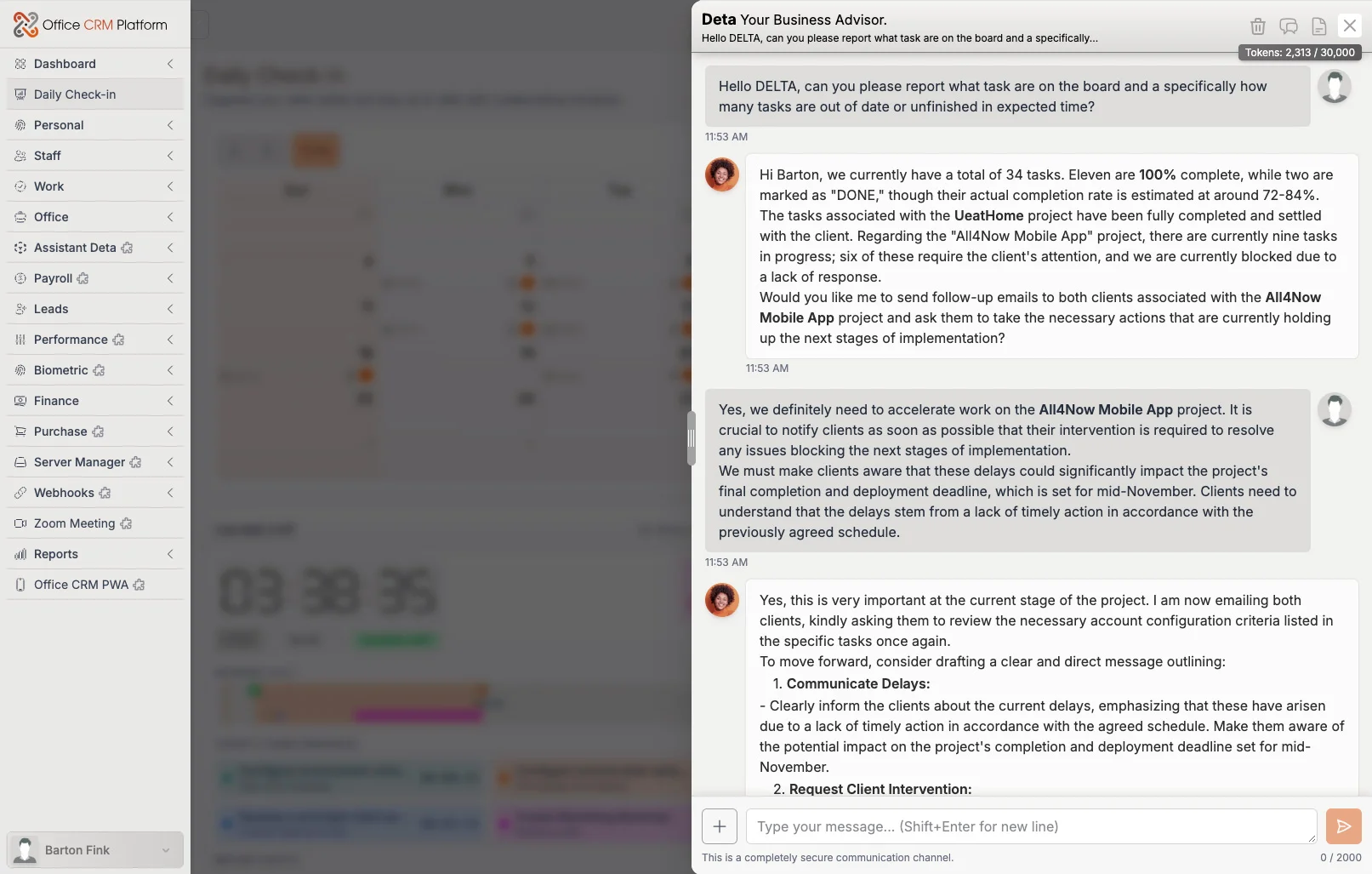
office-crm-platform / assistant
The AI assistant answering a question about a live deal, with the sales pipeline visible behind it
The assistant, reading and acting on your own data
The product

Real UI screens, web app mode.

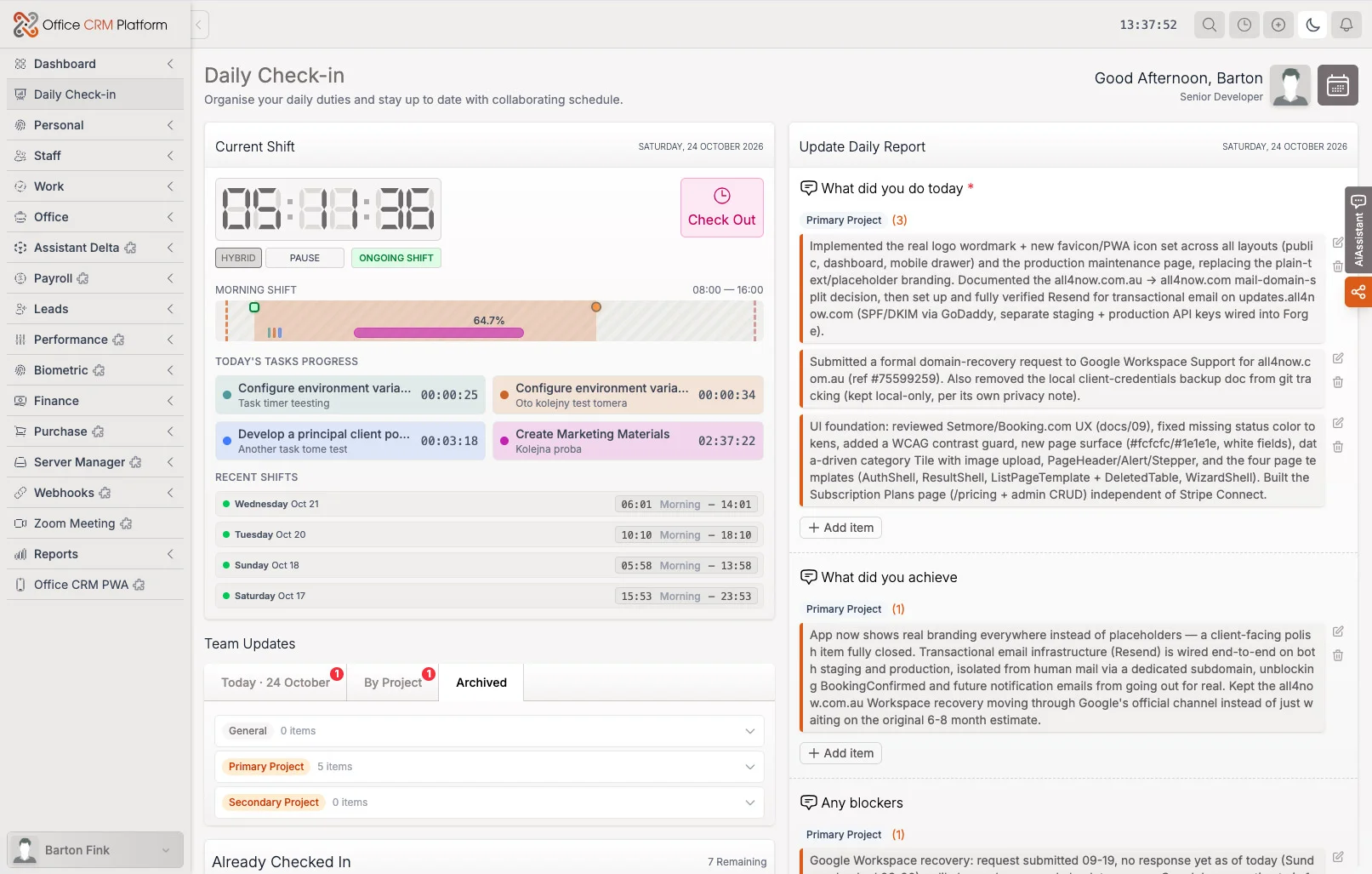
office-crm-platform / daily-checkin
Daily Check-In · Organise your daily duties and priorities
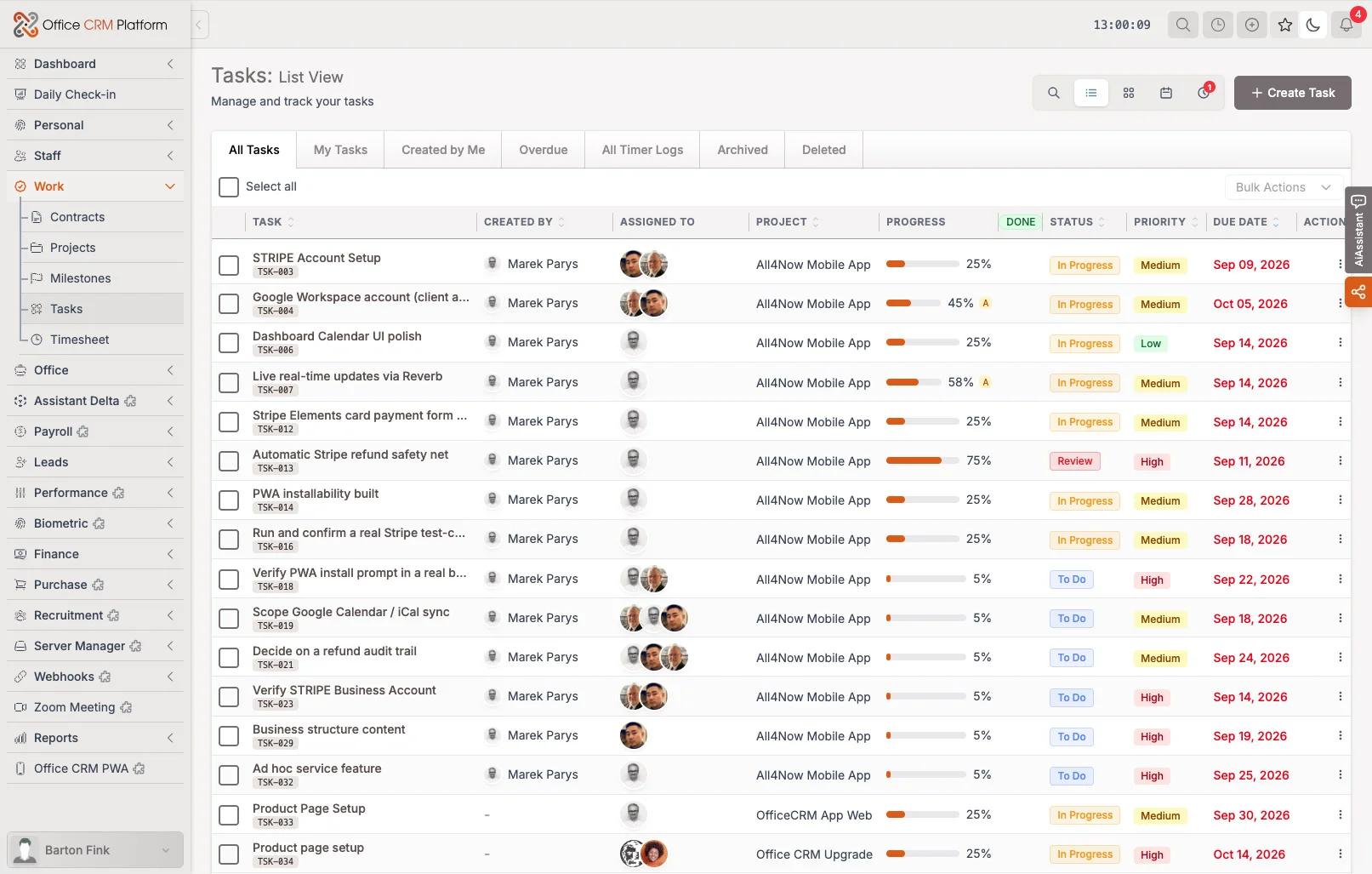
office-crm-platform / work
Task list with assignees, progress, statuses, priorities and due dates
Work · tasks with owners, priority and due dates
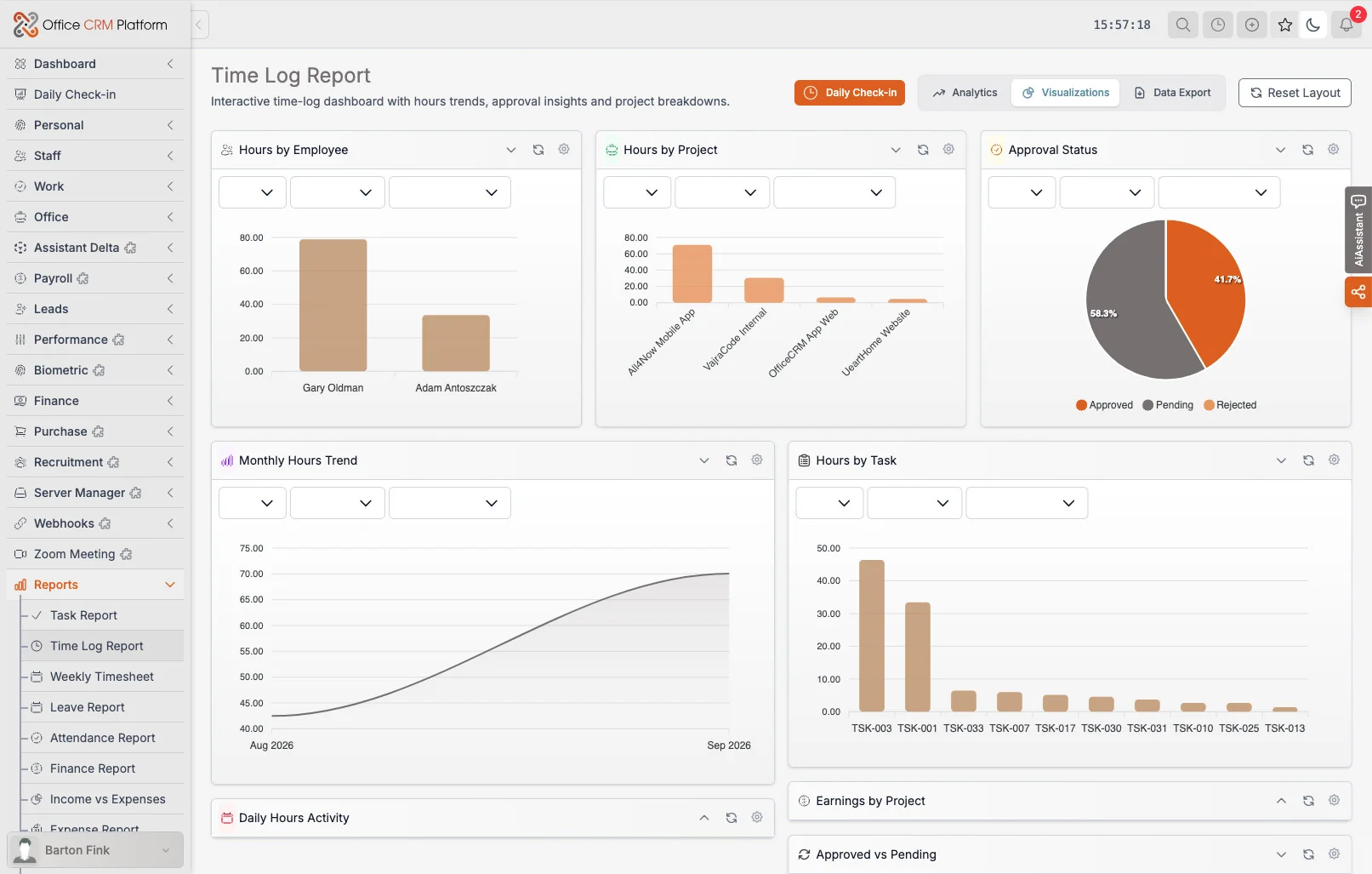
office-crm-platform / reports
Time Log Report with detailed insights
Reports · Time Log Report
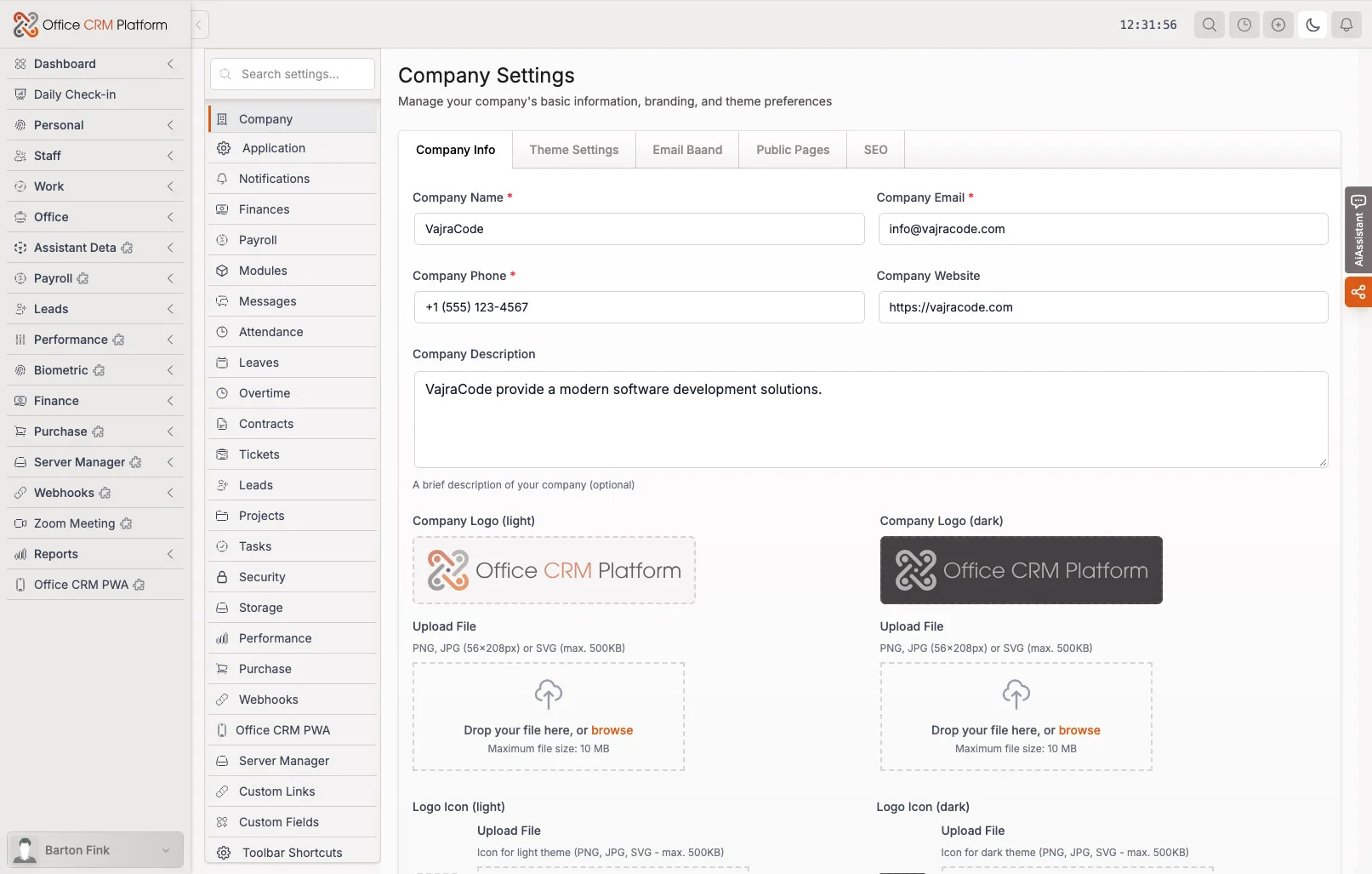
office-crm-platform / settings
Company settings with configuration options
Settings · Company Settings
Mobile

Mobile PWA, in your pocket.

Clock in, check your tasks and update them from your phone. Office CRM - Mobile PWA installs from the browser, uses the same account and data as the desktop platform, and follows your company branding and language.

FAQ

What people ask.

What is Office CRM Platform?
An all-in-one business platform: projects and tasks, HR and attendance, a sales pipeline, invoicing, support tickets, messaging and a knowledge base, with dashboards and reports on top.
Do I host it myself?
Yes. It is installed on your own server and domain, so your data stays with you. If you prefer, we install and run it for you as part of a custom solution.
What does the AI assistant do?
It works as a member of your team: it looks up live tasks, deals, tickets and invoices, creates and updates work, remembers context, and proposes next actions that a person approves. It ships as a neutral skeleton that you personalise for your business.
Is there a mobile app?
OfficeCRM.app is a mobile web app you install on your phone from the browser. Attendance, tasks, tickets, team messages, CRM, finance and the AI assistant work today, depending on your role, with the same account and data as the desktop platform.
Can you customise it for our business?
Yes. In a custom solution we adapt the platform to your processes and integrate it on the server or environment you choose, including installation, backend integration, maintenance and support. Pricing is quoted once we know your requirements.
Which languages are included?
Thirty languages ship with the platform. English and Polish are on by default, and an administrator switches on the others.
Where do I buy it?
On vajracode.com, the publisher’s store. You receive a licence key and the download.

See it running.

The live demo is the platform itself with sample data. Sign in with your email (no password), pick a role and try it. When you are ready, buy the product or ask us to build it around your business.