

Mobile · OfficeCRM.app

Your workday,in your pocket.

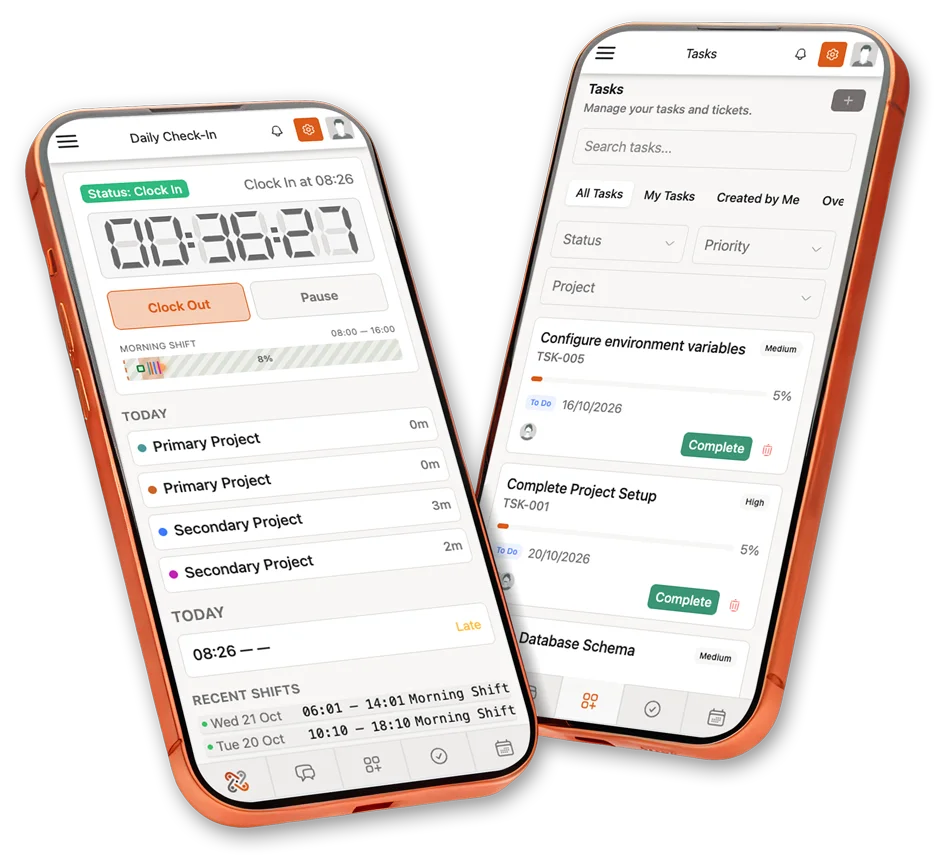
OfficeCRM.app on two phones: the daily check-in and the task list

OfficeCRM.app is the installable mobile companion to Office CRM Platform. Clock in, run your tasks, chat with your team and handle CRM, finance and approvals from your phone, with the same accounts, roles and data.

  • Installs from the browser
  • Same account and data
  • Access per role
What it does today

Your workday, in one app.

I.

Attendance and shifts.

Clock in and out from your phone, see your shift timeline, late flags and overtime, and send the daily report. Managers see who is in and approve missing-report requests.
II.

Tasks and timers.

Create and update tasks with subtasks, comments, notes, files and history. Reviewers approve or reject finished work, and a timer runs on any task.

III.

Team messages.

One-to-one chats and group conversations with file attachments, and a switch to bring the AI assistant into a conversation.

IV.

Sales and CRM.

Leads, deals on a Kanban board, a pipeline summary, a sales cockpit with forecast and targets, companies, clients and orders.

V.

Finance on the go.

Create, send and download estimates, proposals and invoices. Record payments, expenses with receipts and credit notes, and check bank accounts. For admins and accountants.

VI.

Payroll and people.

Salary slips, employee salaries with bonuses and deductions, and approval of overtime and payroll expenses. Admins also manage employees, departments and the shift roster.

VII.

Recruitment.

Review job applications, schedule interviews, and manage job postings, applicants and offer letters. For admins.

VIII.

AI assistant and Autopilot.

Chat with the assistant, approve or edit the actions it proposes, and accept or complete the work packets it hands you.

IX.

Calendar, tickets and projects.

A personal calendar, company events with attendees, support tickets with replies, and project, milestone and roadmap views.

X.

Notices, knowledge and alerts.

Read the notice board and knowledge base, and get an in-app inbox with a bell. Push alerts are optional and set up by an admin.

Good to know

One backend, two ways in.

OfficeCRM.app talks to the same Office CRM Platform installation through a token-secured API, so there is no second copy of your data.

Install
Open it in the phone browser and add it to the home screen. There is no app store: it runs from your own Office CRM domain.
Sign-in
The same login as the web platform. Sessions last 8 hours by default (an admin sets 1 to 24), with one active device per person and a login rate limit the admin controls.
Who can use it
An admin chooses which roles may use the app. Menu and permissions follow the platform: finance and payroll are for admins and accountants, recruitment, deals and staff management for admins, and clients get their own limited view.
Languages and look
Up to 30 languages from the platform (translation quality varies by language), light and dark themes, adjustable font size and up to five footer shortcuts.
Connection
The app needs a connection to show and save data. New versions install automatically.
Alerts
An in-app notification inbox. Push alerts are optional: an admin switches them on in the app settings, and today they are a short generic alert.
Requires
An Office CRM Platform licence and the Office CRM PWA module.
Honest scope

What it does not do yet.

  • Approve or decline leave from the phone (requests and status are there).
  • Create or edit projects, or write to the notice board and the knowledge base.
  • Work offline: only the app opens without a connection, data does not.
  • Rich push notifications with the real title and text.
  • Native iOS and Android packages and store listings.
  • Company branding of the installed app: your logo and name appear inside, the home-screen icon and name are the same for everyone.
  • QR or location based clock-in, and passkey or biometric sign-in.
FAQ

What people ask.

Is OfficeCRM.app in the App Store or Google Play?
No. It is a progressive web app: you open it in the phone browser and add it to the home screen. It runs from your own Office CRM domain, so there is no store review and nothing to update by hand.
Does it work without a connection?
Not for data. The app shell can open offline, but tasks, attendance and everything else need a connection to load and save.
Can everyone on my team use it?
An admin decides which roles may use the app, and can switch it off or end any device session at any time. By default only admins have access. Each person sees only what their role allows in the platform.
Does it replace the web platform?
No, it is a companion. Daily work such as attendance, tasks, messages, tickets, CRM and finance is there, while some areas are read-only on the phone, for example projects, clients, the notice board and the knowledge base.
Can I brand it with my own name and icon?
Your company logo and name appear inside the app. The home-screen icon and name are the same for every company today. We can discuss a tailored version in a custom solution.

Add it to your platform.

OfficeCRM.app is offered as an integration package for Office CRM Platform, $99 one-time, and needs an active licence. We can also deploy it for you, and tailor it, as part of a custom solution.