Product · Officient Mind

How your AIstaff memberworks.

Officient Mind is the working structure of the AI Assistant as an Employee: how it collects data, analyses it, reports to your people and acts, always inside limits you set.

  • Built into the platform
  • People approve first
  • Every action on record
How it works

Six steps, always in this order.

I.

Observe

It reads your live records through thirty-three built-in tools: tasks, team workload, attendance, deals, leads, tickets, clients, projects, invoices, reports and meetings. Once a mailbox is connected, the Email Steward reads incoming mail as well.

II.

Analyse

Each request is routed by intent, enriched with the person’s memories and your company knowledge, and answered from the data the assistant found. It is instructed to say so when it finds nothing, not to invent figures.

III.

Propose

What it notices becomes a card in Autopilot: a deal with no next step, a stale follow-up, an overdue task, a ticket about to breach its SLA, unbilled time, a contract up for renewal.

IV.

Approve

A person approves, edits or dismisses each card. Autonomy is off by default and is switched on per channel. A trust ramp relaxes approval only after enough drafts have been approved.

V.

Act

Approved actions run: a follow-up is logged, a task is rescheduled, an email or ticket reply is sent, an invoice draft is saved. Invoice drafts are never sent by the assistant.

VI.

Report

Every action is written to the activity log and can be undone within 60 minutes. The day is summarised in AI Today, and a governance report shows what the assistant did.

What is inside

The parts of the assistant.

I.

Autopilot

The queue of proposed next actions across sales, tasks, support, finance, projects and HR dates. Every card says why it was raised and waits for a person.

II.

Company Steward

Reads the mailbox, classifies email, pulls the facts that matter into a “second brain” that a person confirms, drafts replies in your company voice and chases follow-ups. It also runs a weekly review. Nothing is sent without approval.

III.

AI Today

A daily handoff: what the assistant did, what is waiting for you, and the work packets delegated to people or to the assistant.

IV.

Tuned Brain

Personal memories and company knowledge, retrieved by meaning, so the fiftieth conversation builds on the first. The assistant can draft company knowledge, and a person confirms it.

V.

AI Console

Open loops: commitments spotted in conversations that are still waiting for someone, so promises do not fall through the cracks.

VI.

Dashboards and progress

The AI dashboard shows usage, tokens, cache, threads, health and queue at a glance. The Command Center gives each role its KPI tiles and an executive brief that you can ask questions.

VII.

Control and activity

Set autonomy per channel, pause everything with a kill switch, review every action, undo within 60 minutes and read the governance report.

VIII.

Communication

One chat away on every page, and in team conversations it answers when asked, for one person or for a whole group.

IX.

Marketing drafts

Drafts of posts and case studies are saved for review and never published by the assistant. Prospect research is opt-in and off by default.

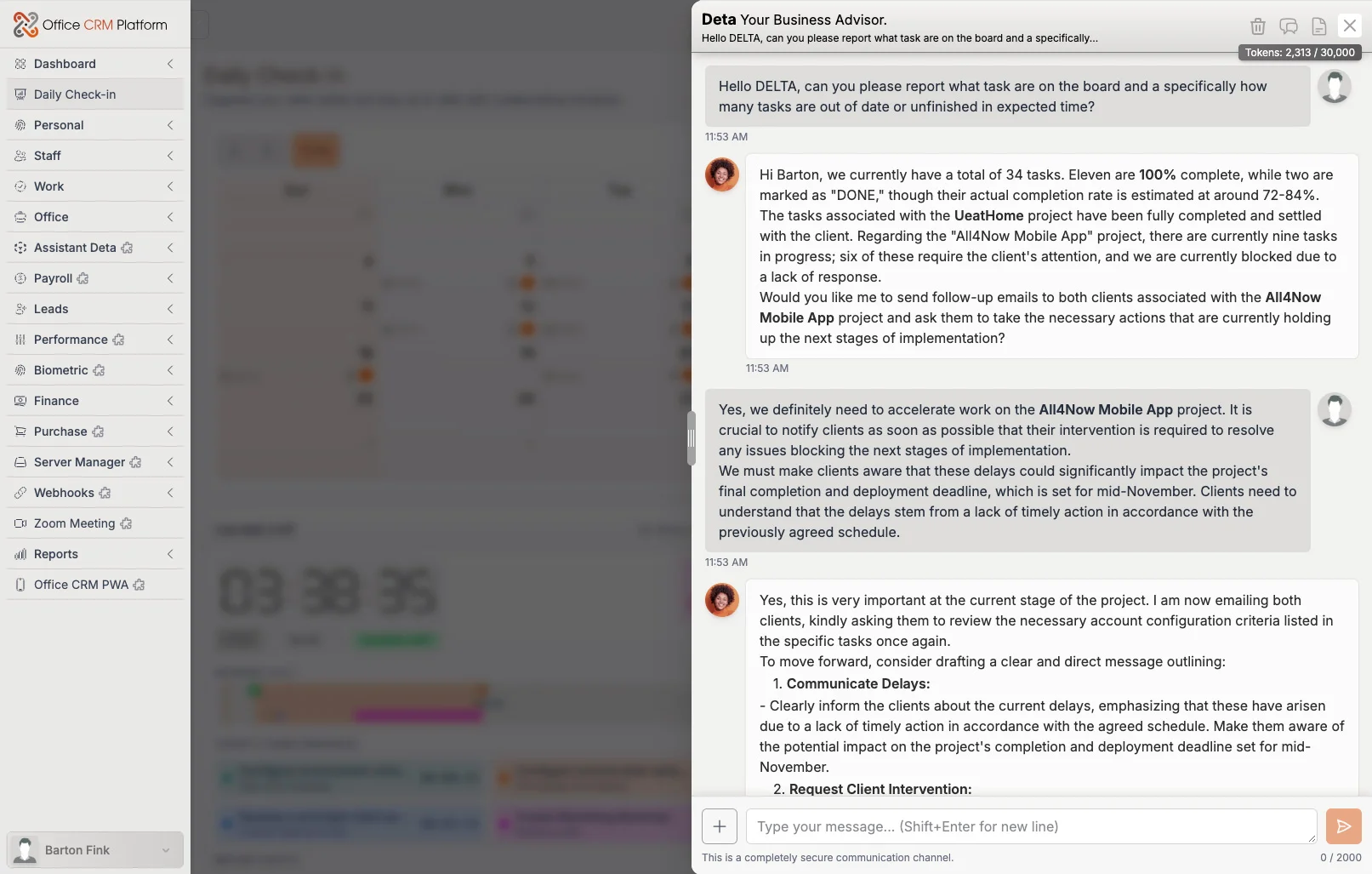
office-crm-platform / assistant
The AI assistant answering a question about a live deal, with the sales pipeline visible behind it
The assistant, working on live data inside the platform
How it reports

You always know what it did.

A.

Every day

AI Today: what was done, what is waiting for you, and the work that was delegated.

B.

Live

The Autopilot queue shows what is waiting right now, each card with the reason it was raised.

C.

On the record

The activity log lists every action of the assistant, with a 60-minute undo.

D.

On demand

The governance report and the Command Center brief, which you can question in plain language.

FAQ

What people ask.

What is Officient Mind?
It is the name we give to the working structure of the AI Assistant as an Employee: the way it observes your data, analyses it, proposes actions, acts inside limits you set, and reports back to your people.
Is it a separate product?
No. It is how the AI Assistant add-on works inside Office CRM Platform, and it needs an Office CRM Platform licence.
Is everything switched on from the start?
No. Autonomy is off by default, and some parts need setup first: the Email Steward needs a mailbox, and prospect research is off until you enable it.
Which AI model does it use?
OpenAI models today, through your own OpenAI API key. The model layer is isolated in one place so the provider can change.

See it at work.

The live demo shows the platform with sample data. To have the assistant personalised and integrated for your business, ask us for an estimate.